Week 7 - Arduino Part 1

This week, I began integrating Arduino into my pencil sharpener to explore how digital inputs can trigger physical outputs. My first experiment involved attaching an ultrasonic distance sensor to the sharpener and coding it, allowing it to activate automatically when an object (like a pencil) was nearby. In my second experiment, I introduced a toggle switch that lets users shift between two modes: auto mode (using the sensor) and manual mode (using a button to start the sharpener). These tests helped me develop my coding and circuit-building skills, while continuing to reflect on the positionality checklist to stay aware of how my values and thinking influence my design decisions. Moving forward, I want to refine both the interaction design and begin creating a physical form, building on what I’ve learned to push the sharpener further as a creative and functional prototype.
So it's time for Round 2 of my experiments! After the first round, I was super happy with how my electronics journey was going however I did expect to struggle a little more so was struggling a little to find ways to keep myself busy in progressing my skills. I knew however the next step would be integrating Arduino and was really looking forward to it.
This time around however, before I got started I decided to do a quick brainstorm on different ways I could iterate the pencil sharpener using Arduino. This way I'd have a number of challenges to cross off before having to think of something new. These were a few I came up with.
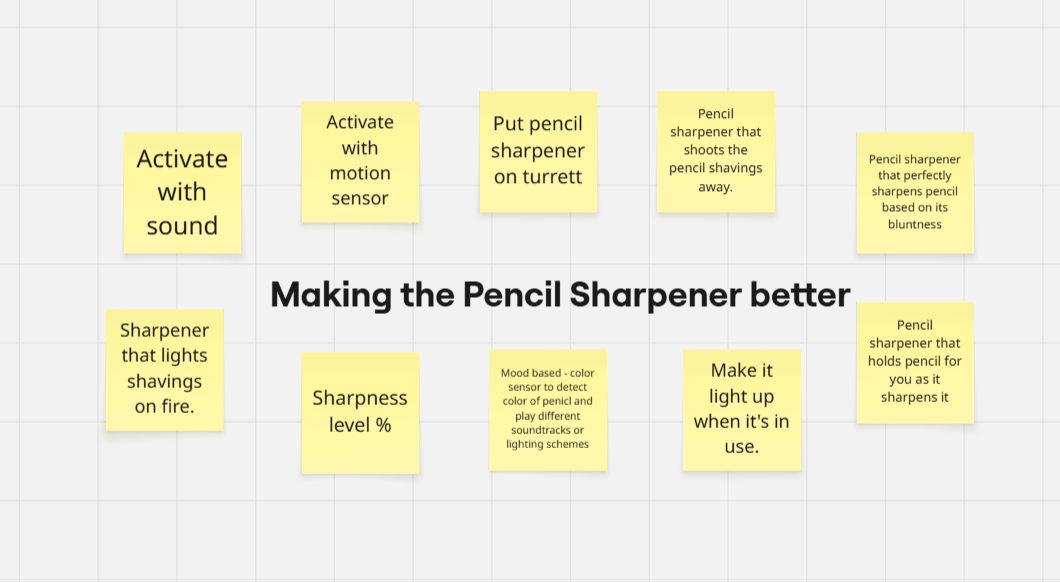
After going through a brief brainstorm of experiments I thought would keep me busy, I felt I knew where I was going to start. Being someone that had virtually 0 experience with Arduino and needing an early win I wanted a single input, single output circuit. This meant going with the idea to activate the sharpener with a motion sensor. I knew it would be a great starting point for getting familiar with the technology and I could iterate from there.
While being extremely excited for the task ahead, I walked straight into the Design Labs, took a look at one of the Arduinos and walked straight out.
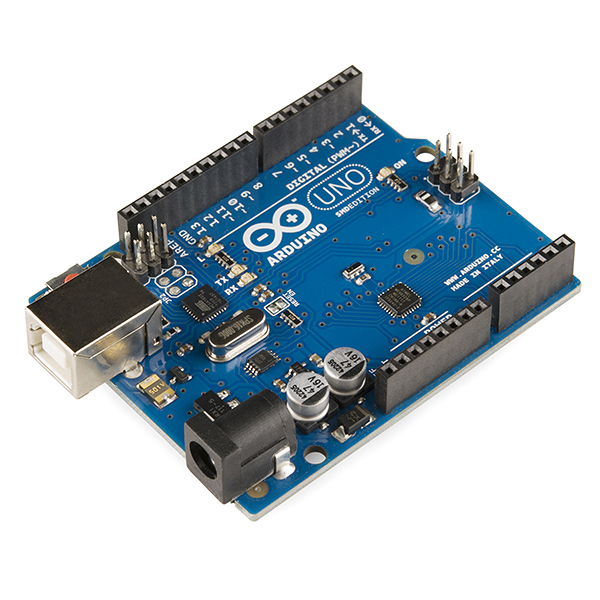
All of the different inputs and labels were overwhelming to say the least, and I knew straight away I probably needed to do a bit of research.
Fortunately however I found this 90 minute Arduino Masterclass that basically turned the device inside out. From there I felt pretty confident with the help of a bit of ChatGPT to complete this experiment.
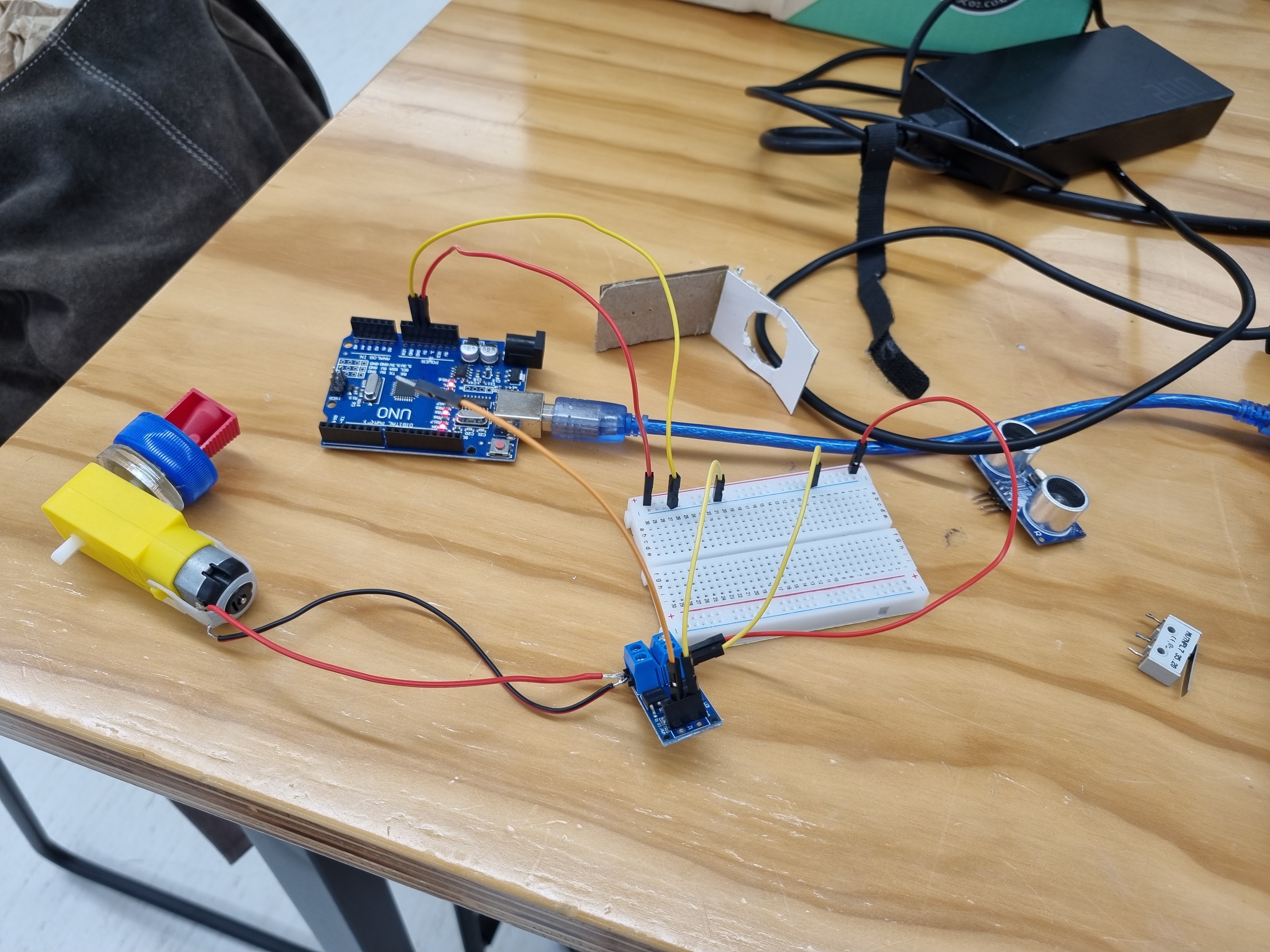
After dismembering my pencil sharpener I got to work with setting up my breadboard. It took some refreshing to understand how the breadboard worked and interacted with the different inputs and outputs. While I was able to pick this back up pretty quickly, what did take some thinking was understanding how the inputs and outputs needed to be wired to the breadboard for power, and the Arduino so it could send signals and receive signals from the code.
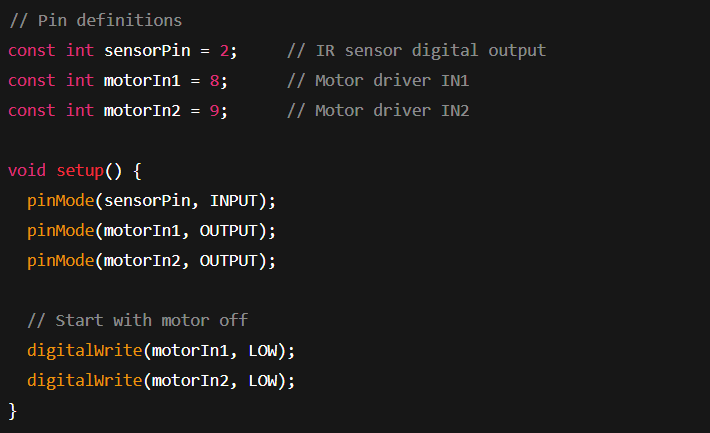
It actually wasn't until I started looking at how to code this function that the wiring began to make more sense. There were many examples in the Arduino Coding software for different lines of code that completed different functions. Studying these really helped not only understand the coding language, but also how the circuit was running - essentially what variables were inputs and which were outputs, and what information was being sent around the circuit.
This eventually lead on to my first Arduino prototype being complete:

This was an awesome feeling to complete and was definitely the first step I needed to gain a bit of confidence with the system. I also finished this quite quickly and felt I needed to utilise my rush of confidence through iterating this idea one step further.
I decided to create a sharpener where you could switch it from Auto Mode (Where the sharpener is activated by the sensor), and Manual Mode (Where the sharpener would only work when a button was pressed down). As I was adding not just one but 2 more components to this circuit I was pretty amazed as to how much more complex the code became.
I realised now I needed to start coding each function of each input as its own variable before inputting that variable into the code loop. For example below is my code for the motion sensor to get the distance away an object is. Next to that you see this variable "getDistance" in the loop, asking the motor to turn on if something is close. Understanding how this worked was a huge step in my coding knowledge I felt, and a great stepping stone from my previous single input circuit.
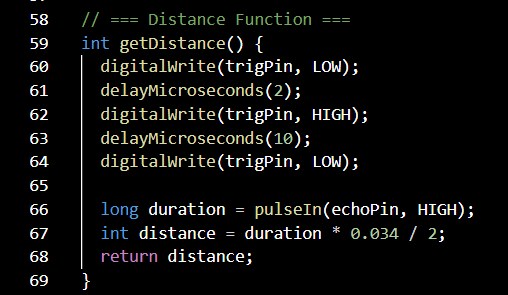
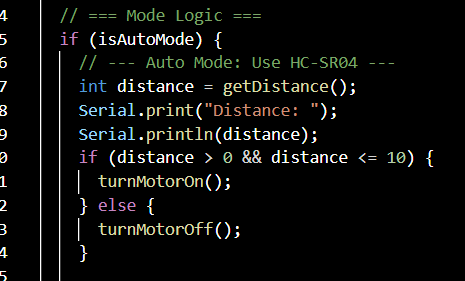
Once I felt I was confident with this code I decided to prototype my circuit with a breadboard and all of my components to check the functionality.

I was super happy it worked really well. From here I feel like I wanted to continue with this iteration and build a complete form and function pencil sharpener. I feel a large part of these prototypes and this challenge is to be able to combine these electronics skills with physical building.
This week was a pretty productive week for me I felt. I've been super busy with my other courses, and my two jobs at this time. I however knew that over the next few weeks I would get especially busy with my large finance assignment and Māori exams coming up soon so wanted to make some headway this week.
I was proud to say I feel I already understand how the code in Arduino operates and feel I can customise and create fairly simple circuits comfortably now. I do know however that the only way to keep and continue this knowledge is through continuing to play around with this code.
While this initial iteration maybe wasn't as creative or groundbreaking as I was hoping - which I mentioned in my previous blog posts. I realised there was only going to be so much I could do with the limited knowledge I had in Arduino. As I continue developing my electrical and coding skills I know I will have the capability to try some of these more creative iterations.
I think that's something I really took away from this week. That learning these technical skills is really helping me to be more creative. As I learn more about how the code, inputs, and outputs interact, I get more ideas on how they can be changed. Not only this, but I am given the ability to confidently test my ideas, and get instant feedback on where it may have gone wrong or could be improved.
This week as I was learning a pretty much completely new technology, most of my resources all surrounded Arduino.
As mentioned previously the primary source of my Arduino learning came through a 90 minute tutorial on youtube outlining pretty much the entire board, and introducing me to some coding basics.
I do find youtube really useful for understanding concepts I'm new to as I find human explanation combined with visual aids really works with my brain. Hence it worked really well for understanding the Arduino setup. Despite this however I had some nightmarish experiences with using this for code. I found it really slow and felt I was watching a 10 minute video to get maybe a line of code out of it.
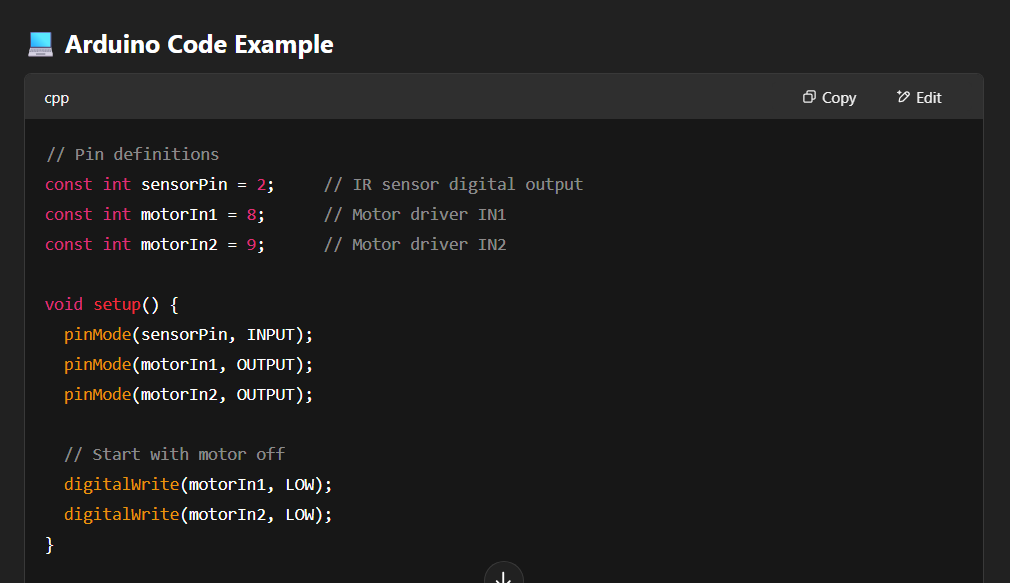
This is where ChatGPT came in. I quickly realised just how useful ChatGPT is for helping write code. Not only would it write somewhat correct functions, it was super useful in helping me understand how the different lines interacted, and how my specific inputs (sensors, buttons etc.) I had in front of me could be coded.
While I was pretty happy with some of my progress in my electronics knowledge, I didn't really set aside some time to look into some real possibilities for my capstone project. I now know that I am in the emerging technologies stream so over the next few weeks I believe it's pretty important that I do some brainstorming and reflection into my initial thoughts and feelings on the brief. Then follow this with some research into a few technologies. I'm super motivated to find ways they may intersect with the electronics work I am doing here.
Regarding the sharpener, I believe my next step is to build a mold that gives the new sharpener form as well as function. Something I'm still not super confident with is configuring all the wires efficiently so they all fit in a compact fashion, while leaving no risk for short circuits or damage to the wires due to movement or force. While I believe I'll start again with a cardboard prototype, I'm hoping this time to model and 3D print a shell that resembles a full functional prototype!